Pick Herdr if you
- need agents to keep working after you close the app or lose the connection
- run agents on servers over SSH, in one window
- want a window your agent can rebuild, in a native app
- use agents beyond Claude Code, Codex and Antigravity
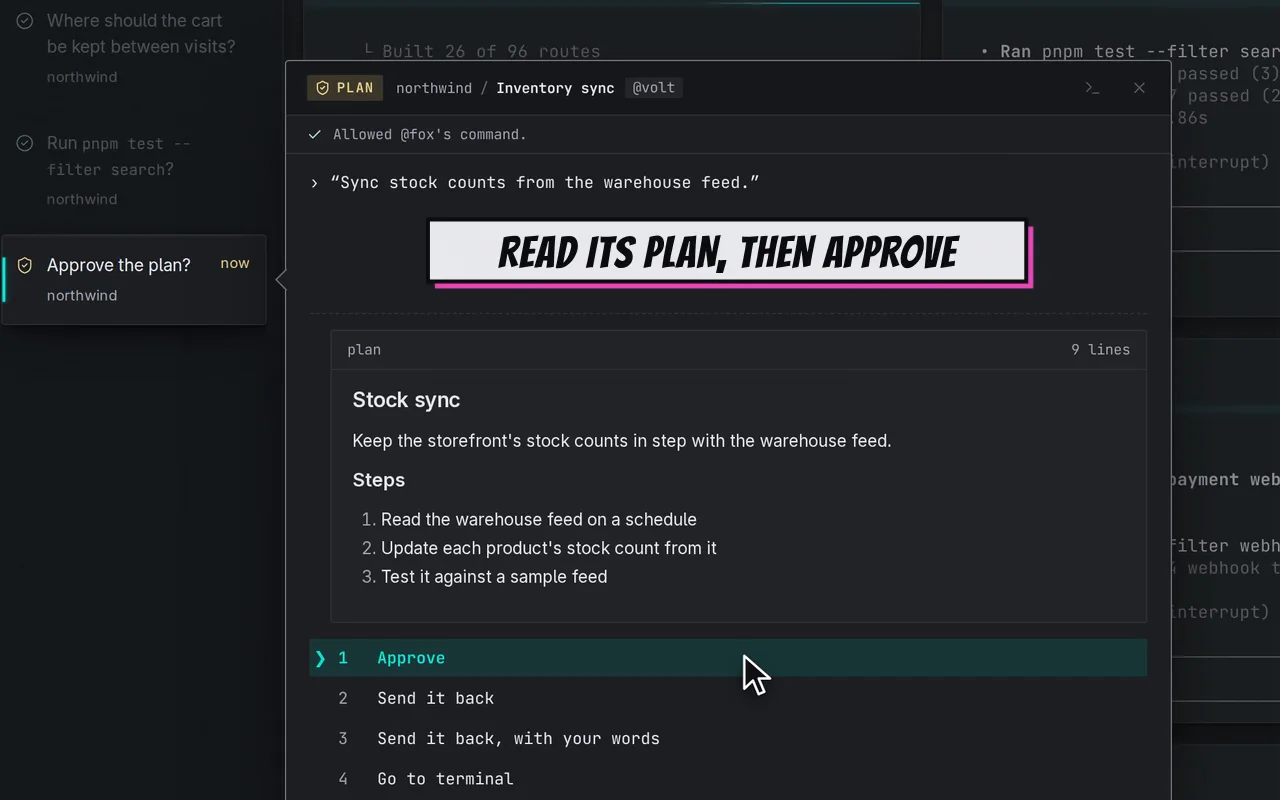
Both run Claude Code, Codex and Antigravity in real terminals. In Herdr, you open the agent that needs you to read and answer it; in Novadeck, its question, command request or plan waits in one Inbox, and you pick an answer or type your own without opening its terminal.
free · open source (GPL) · no account · no telemetry, just an update check · macOS, Windows, Linux
In Herdr · A background server keeps them working when you close the window, quit the app or lose your SSH connection, and machines you reach over SSH join the same sidebar. After a reboot, the TUI resumes supported agents; the app opens fresh shells in their folders.
In Novadeck · See them all on a grid or a canvas, or focus on one. They run while Novadeck is open: quit it and they stop. After a quit, a crash or a reboot, each terminal reopens where it was, and its agent picks its session back up.
In Herdr · In the app, an agent starts helpers with hc run and steers them with hc send; their reports land in its input, and the sidebar shows them under it. In the TUI, agents drive panes through its CLI and socket.
In Novadeck · Claude can open Codex to review its work: Codex starts in its own terminal, joined to Claude’s by a line, and its messages arrive marked as from Claude. You can read what they said to each other.
In Herdr · Its tab and the sidebar say it’s blocked, and a toast tells you (in the app, click it to go there). You read its question in its terminal and answer there. In the TUI, clients such as ovis and herdr-remote answer from a browser or phone. When it’s done, the app’s Changes panel shows its diff, ready to commit.
In Novadeck · You get a ping, and its question, command request or plan waits in your Inbox: pick an answer or type your own, without opening its terminal. When it’s done, its report lands there too, and its plan, diff or page can open beside its terminal. On full autonomy, command requests stop, but questions and reports still land there.
Herdr
“the runtime your coding agents live on.”— Herdr, the README of its TUI
Herdr bets on the runtime: agents live in a server that outlasts your window and your connection, and its app’s window is plain files your agent can rewrite.
Novadeck
Novadeck bets the slow part of working with agents is getting to what each one needs from you, so that comes to you: its question to one Inbox, and its plan, diff or page beside its terminal.
Trying Novadeck moves nothing: your agents run in it as they are, on your own plans, with their own settings, and disconnecting one takes Novadeck back off it.
Connecting an agent installs one Novadeck plugin, an MCP server and hooks, with that agent’s own plugin command, and disconnecting uninstalls it. In Antigravity, Novadeck shows its own status line before yours (on Windows, if you have your own, it’s left alone), and disconnecting puts yours back.
Checked against Herdr’s app 0.1.9 and its TUI 0.9.5 on 30 October 2026. Something out of date? Tell us on GitHub.