A desktop terminal for Claude Code, Codex and Antigravity.
You’re a runner,not a babysitter.
No more tabbing through agents to find the one that’s been stuck on a yes/no for twenty minutes.
Novadeck runs them all in one window. When one needs you, it asks in your Inbox, so there’s no hunting for its terminal, and you can answer most questions right there.
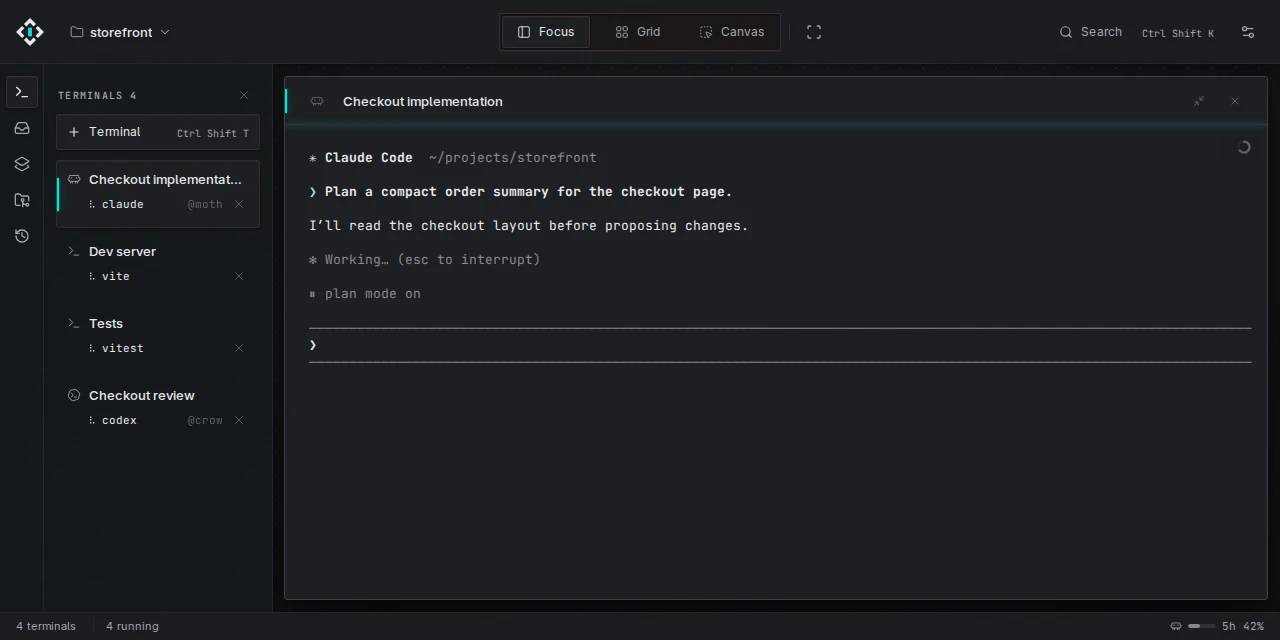
A day with your crew
- 01
Inbox
Answer them where you are
Kick off four agents and go do your own thing. When one has a question or wants your OK to run something, you get a ping, and the question waits in your Inbox with the answers as buttons. Pick one and the agent carries on, no terminal needed. For the odd prompt Novadeck can’t answer, there’s a button to its terminal. The other agents just keep working.
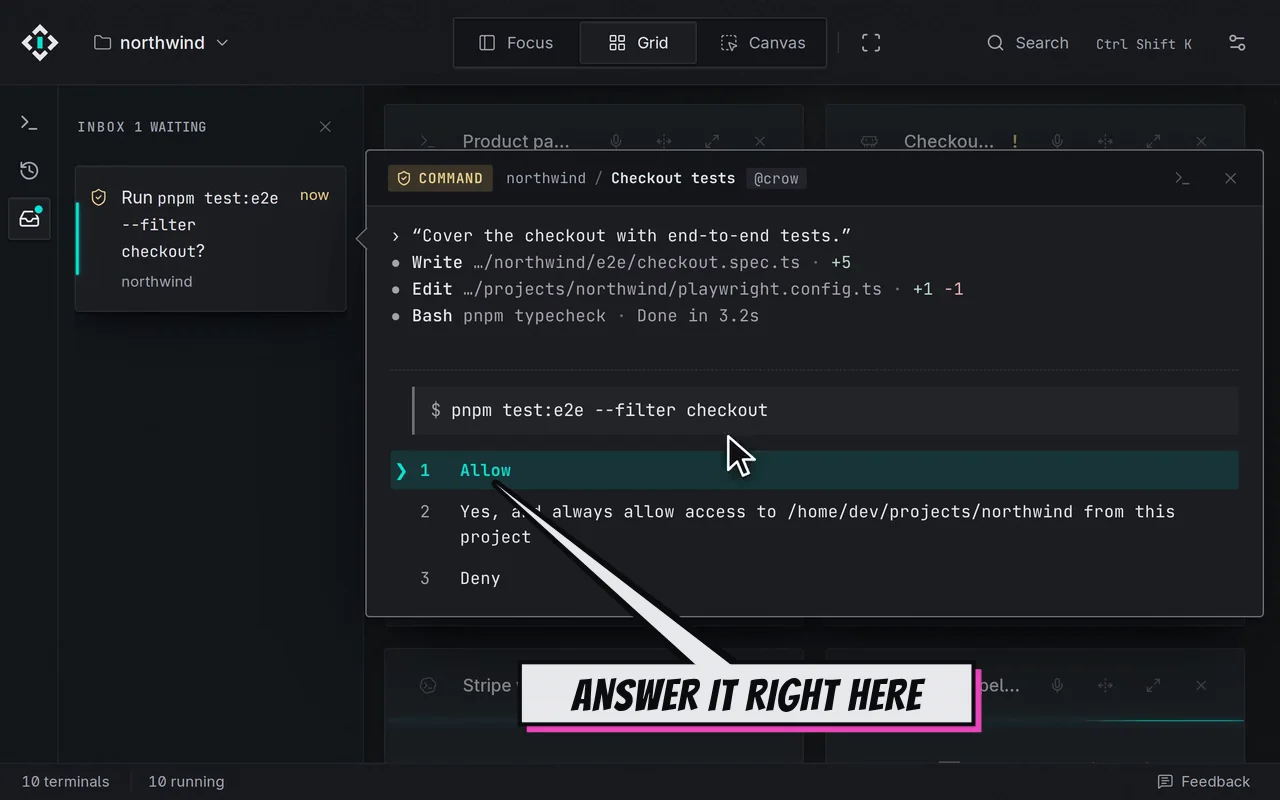
Claude Code wants to run its checkout tests. Allow it from the Inbox, and it carries on. - 02
Teams
Stop being the meat proxy
Tell Claude “get Codex to review this” or “split this across three more agents” and they sort it out between themselves. Claude, Codex and Antigravity can work in one team, each with its own handle, and a line on screen shows who leads whom. Open an agent’s Messages pane to read its conversations, and check what they agreed before you trust the result.
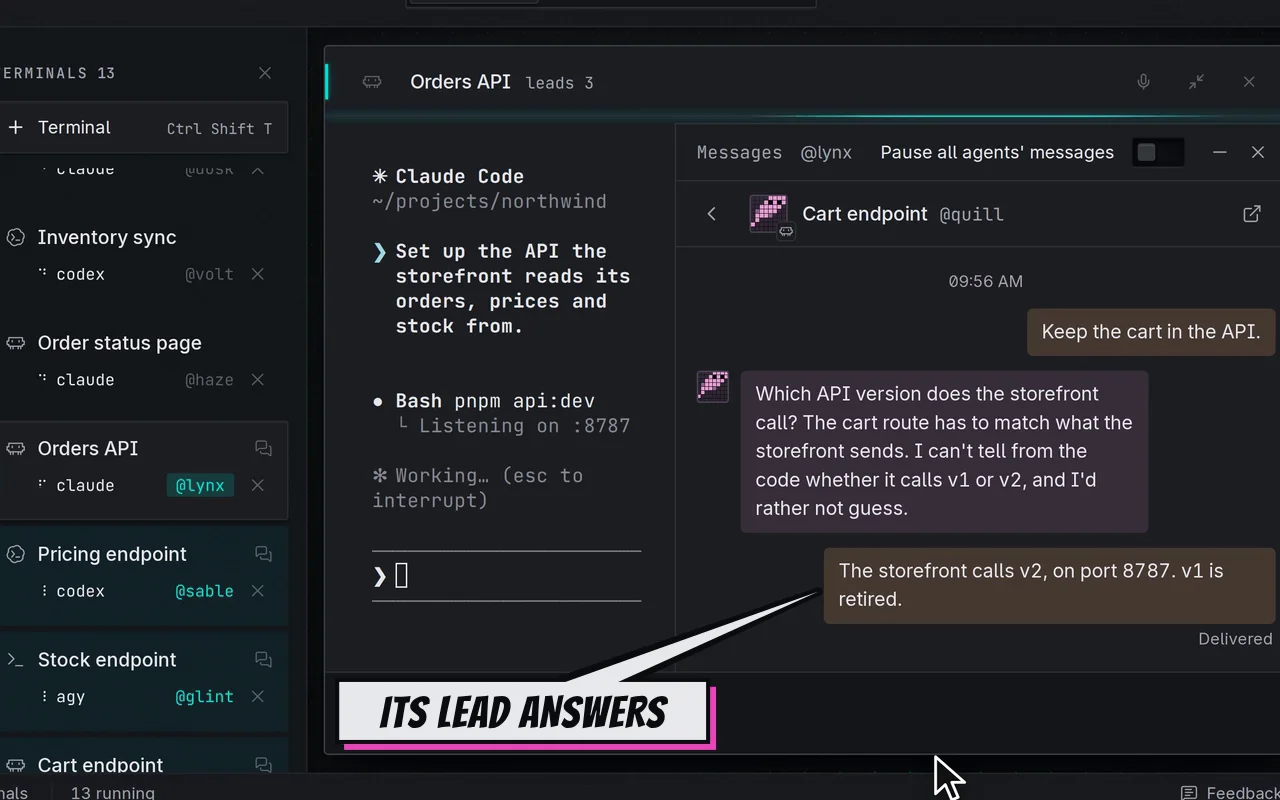
Orders API briefs its teammates. When Cart endpoint asks which API version to call, the lead answers, and you read it all in its Messages pane. - 03
Views
Run one, a few, or the whole crew
Zoom in on one, tile a few in a grid or spread them all across a canvas. Same terminals in every view, so switching never kills a run.
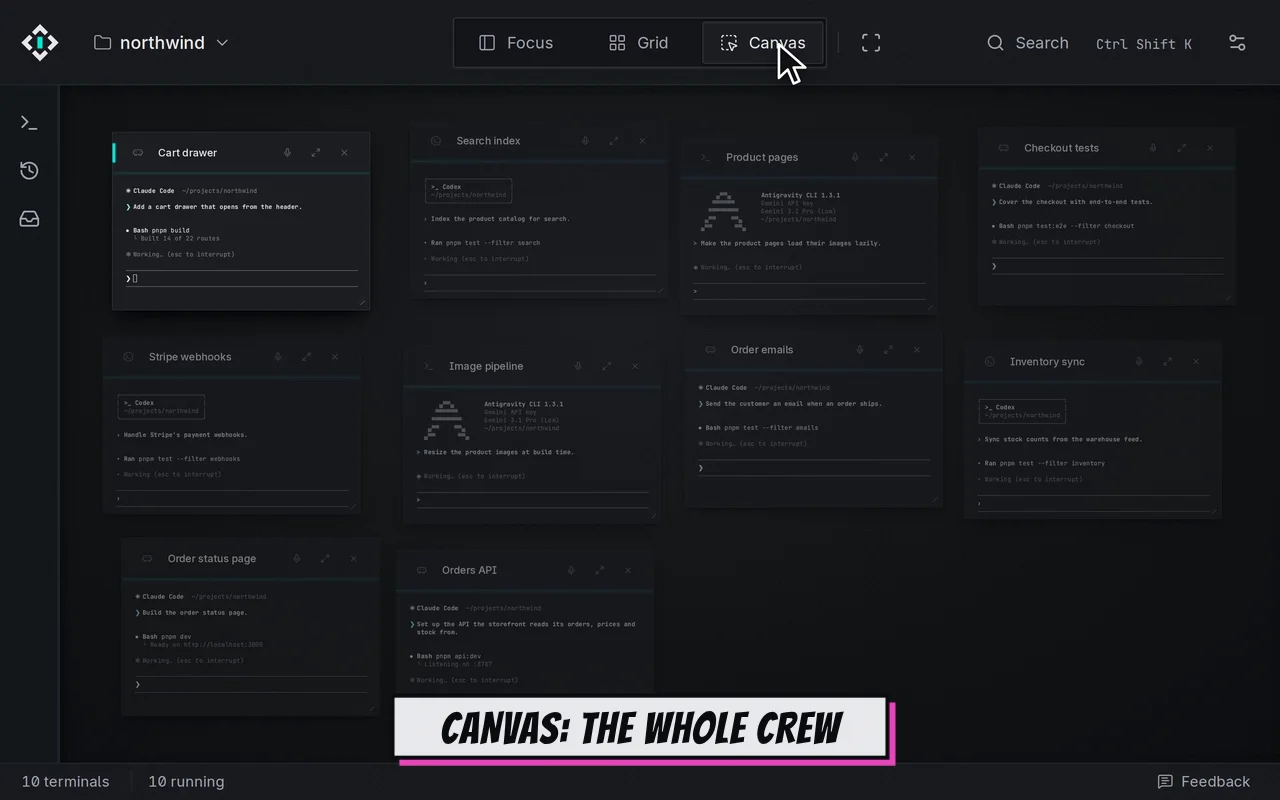
The same terminals in Focus, then Grid, then Canvas. - 04
Companion
Where’d it save that?
When an agent shows you a page, a screenshot or its changes, it lands right next to its terminal. You read it there, and then you get back to work.
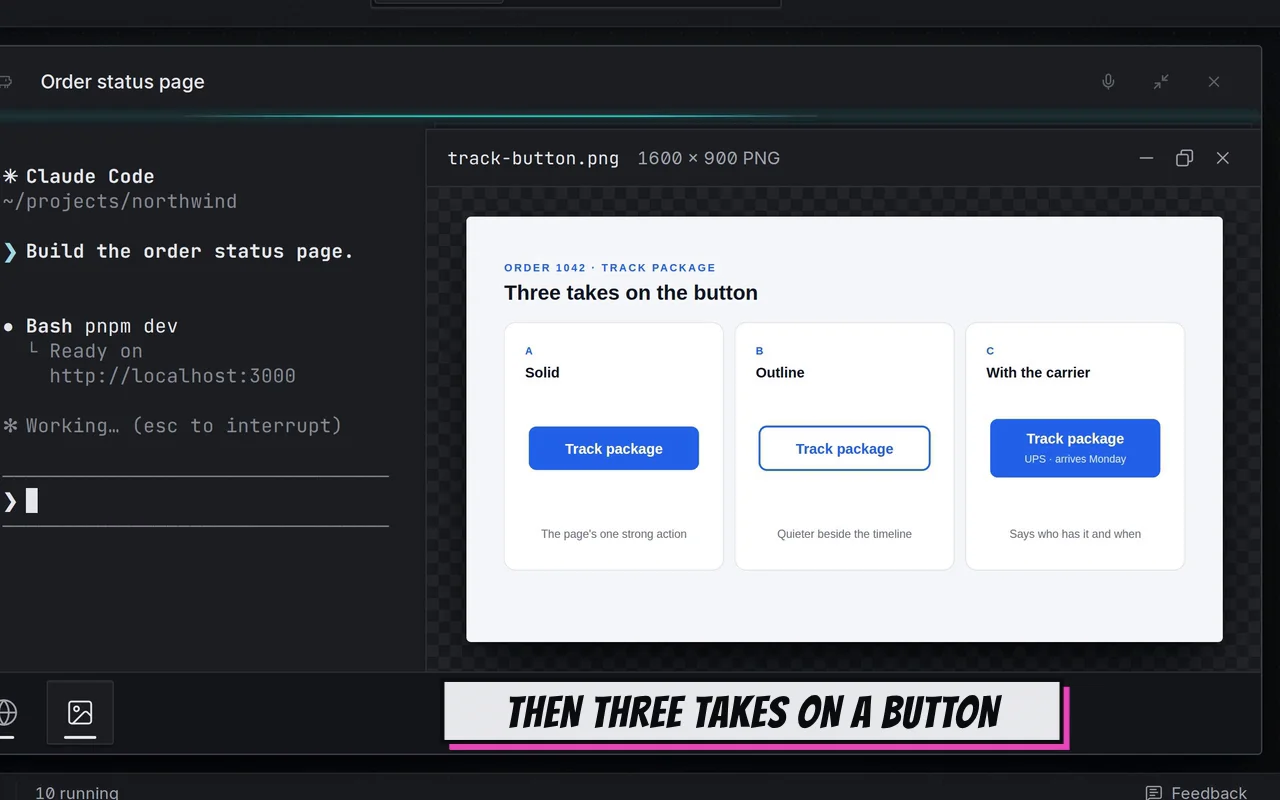
Order status page shows you what its dev server serves, right beside its terminal, then three takes on its Track package button. - 05
Restore
And tomorrow?
Restart your machine and everything comes back. Every terminal returns with its folder, its scrollback and the agent session it was running.
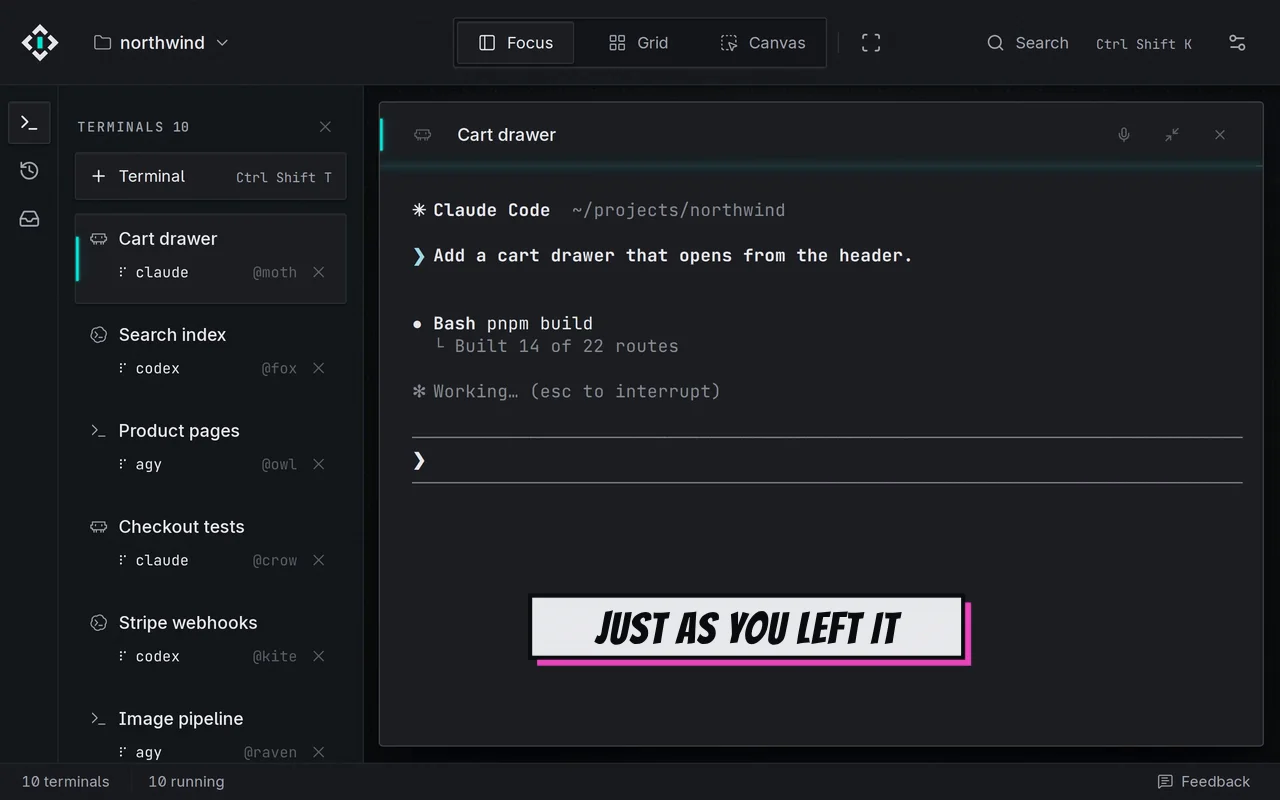
Novadeck starts again, attaches every terminal, and the deck is back as you left it.
No email · no cookies
Want to find this again?
We can’t remind you, and this tab’s about to close. A star keeps Novadeck in your GitHub stars, and helps other developers find it.
Star on GitHubone click if you’re signed in
BYOH · Bring your own harness
Bring the agents you have and the subscriptions you already pay for.
Novadeck runs the real Claude Code, Codex and Antigravity, the CLIs on your machine, set up exactly how you like them and signed in to your own accounts. Nothing gets rebuilt or wrapped, so nothing falls behind.
It’s the CLI you already use
Same binary, same version, same skills, hooks and MCP servers. When Claude Code or Codex ships a feature, you get it the same day.
Hit a limit? Hand off and keep going
When Claude runs out of usage, tell Codex to pick up where it left off, in the same folder.
Walk away any time
Novadeck never writes to your repos or touches your shell. Each agent gets one small plugin, and it uninstalls clean. No lock-in.
Questions
free · no account · no telemetry
Give it a day and you’ll stop checking on them.
Not ready to install? Try it portable first